· How To · 3 min read
How to install youtube-dl (the easy way)
youtube-dl is an amazing and useful command line utility to download videos from YouTube, Vimeo, and more. This articles is about how to install youtube-dl on Windows, Linux, and Mac OSX. youtube-dl...
This post was originally published on jcutrer.com (WordPress) and has been migrated to the archive.
youtube-dl is an amazing and useful command line utility to download videos from YouTube, Vimeo, and more. This articles is about how to install youtube-dl on Windows, Linux, and Mac OSX. youtube-dl is written in Python
so it’s also referred to as youtube-dl.py or youtube-dl.exe when compiled on Windows.
youtube-dl depends on ffmpeg or avconv for video transcoding and audio/video merging. We will install ffmpeg in this tutorial since it can be installed via choco on Windows.
Steps to Install youtube-dl on Windows
- (/howto/windows/install-chocolatey-choco-windows10)
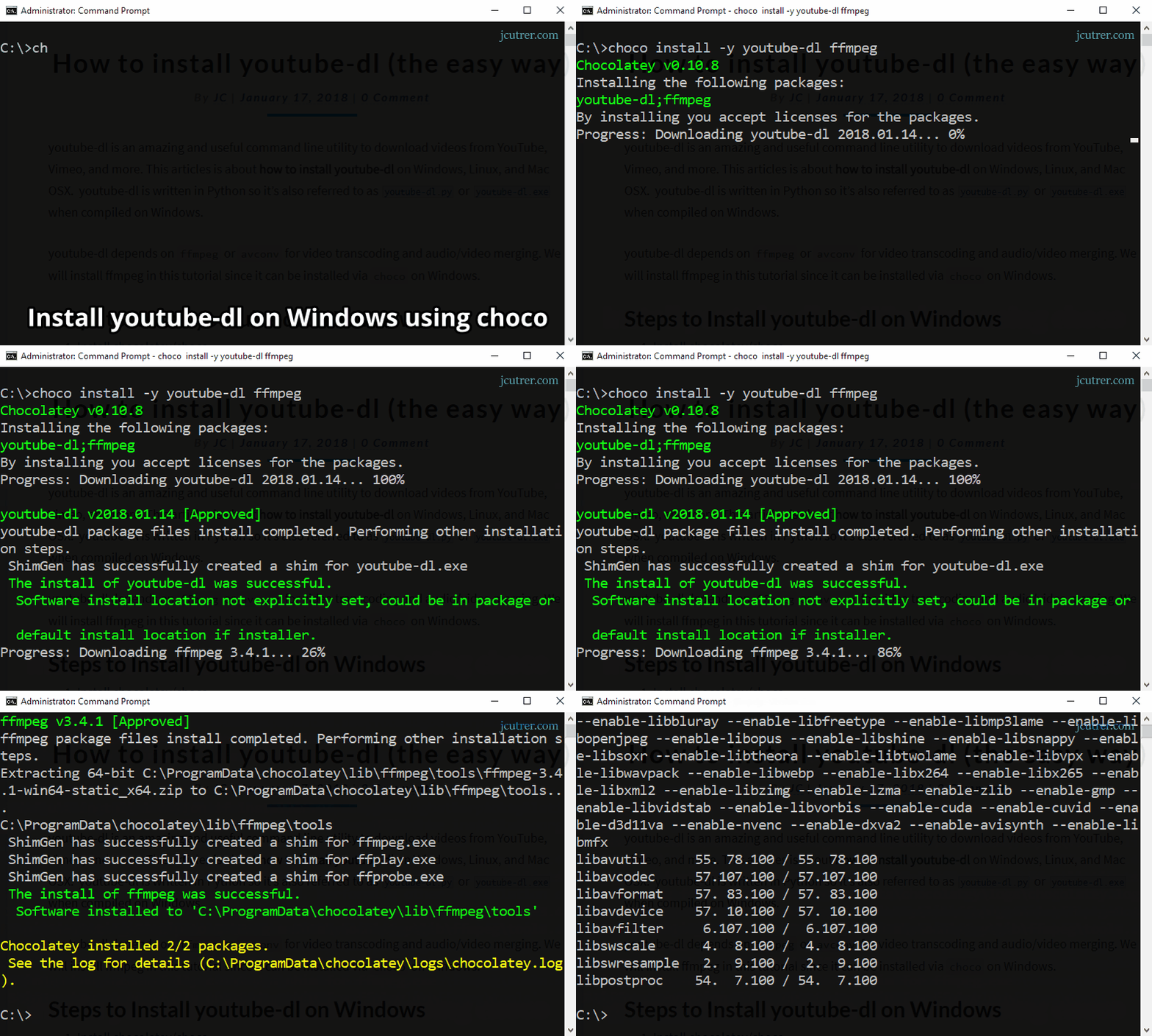
- From a privileged command prompt run
C:\> choco install -y youtube-dl ffmpeg- Verify that youtube-dl is installed and check the version.
C:\> youtube-dl --version!(/wp-content/uploads/2018/01/install-youtube-dl-windows.gif) Click to Zoom
Steps to Install youtube-dl on Ubuntu Linux
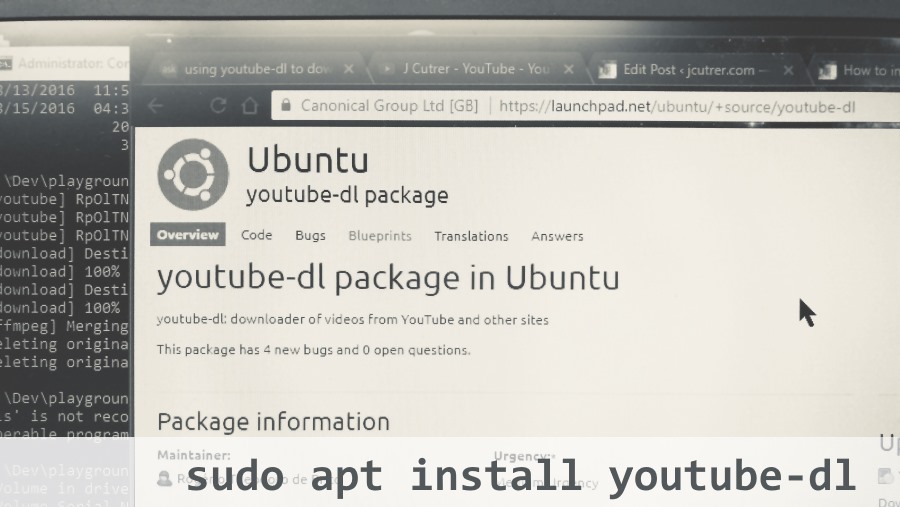
!(/wp-content/uploads/2018/01/youtube-dl-package-ubuntu-linux-300x169.jpg) youtube-dl can be installed on most Linux distributions using the built-in package manager (apt, yum, etc).
# apt based distros Ubuntu, Debian, etc
sudo apt install youtube-dl
# yum based distros Redhat, Centos, Fedora
sudo yum install youtube-dl
Steps to Install youtube-dl on Mac OSX
# OS X users can install youtube-dl with Homebrew:
brew install youtube-dl
# Or with MacPorts:
sudo port install youtube-dl
Steps to Install youtube-dl using python/pip
This method assumes you already have python and pip installed
# python 2.7
sudo pip install youtube-dl
# python 3.x
sudo pip3 install youtube-dl
Download a YouTube video using youtube-dl
!(/wp-content/uploads/2018/01/youtube-dl-windows-300x135.png)
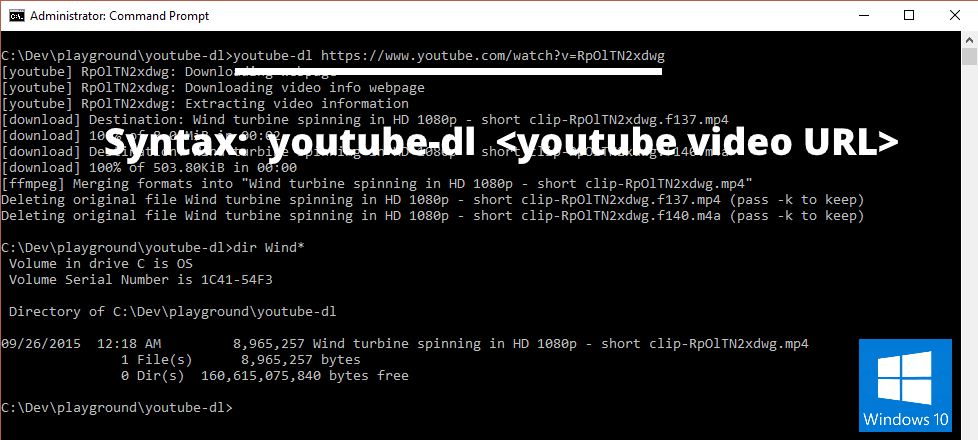
Lets give it a try by downloading a youtube video from the command line.
youtube-dl https://www.youtube.com/watch?v=RpOlTN2xdwg
# output
 RpOlTN2xdwg: Downloading webpage
 RpOlTN2xdwg: Downloading video info webpage
 RpOlTN2xdwg: Extracting video information
 Destination: Wind turbine spinning in HD 1080p - short clip-RpOlTN2xdwg.f137.mp4
 100% of 8.04MiB in 00:01
 Destination: Wind turbine spinning in HD 1080p - short clip-RpOlTN2xdwg.f140.m4a
 100% of 503.80KiB in 00:00
 Merging formats into "Wind turbine spinning in HD 1080p - short clip-RpOlTN2xdwg.mp4"
Deleting original file Wind turbine spinning in HD 1080p - short clip-RpOlTN2xdwg.f137.mp4 (pass -k to keep)
Deleting original file Wind turbine spinning in HD 1080p - short clip-RpOlTN2xdwg.f140.m4a (pass -k to keep)
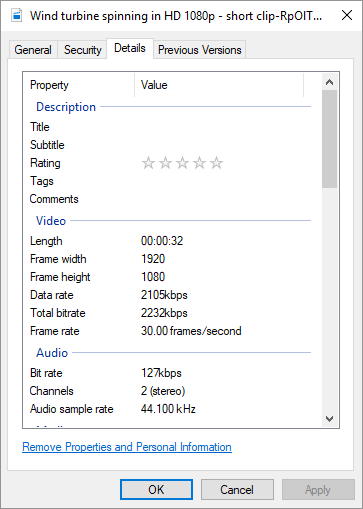
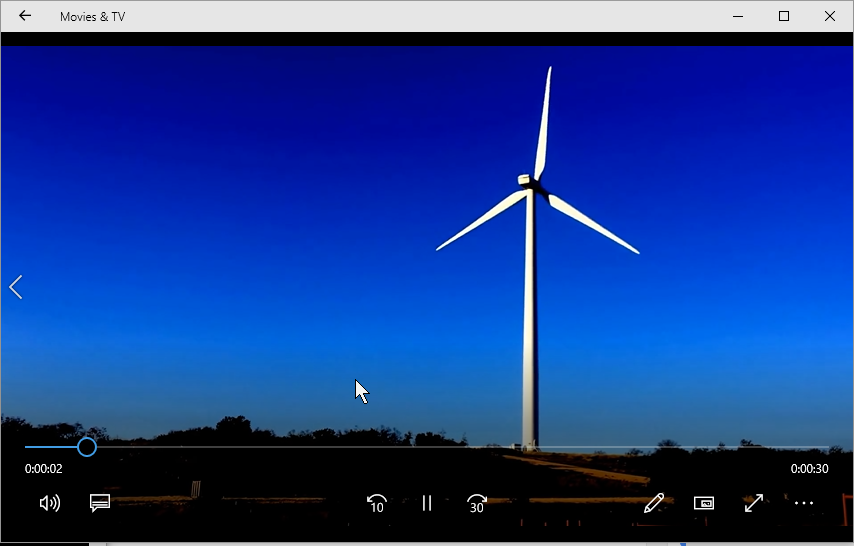
Here are the video file’s properties and the downloaded video
!(/wp-content/uploads/2018/01/downloaded-youtube-video-file-properties.png)
!(/wp-content/uploads/2018/01/download-videos-with-youtube-dl.png)
What sites can youtube-dl download videos from?
Although the name implies that youtube-dl only works for downloading videos from youtube, I was shocked to discover it supports over 1,000 other websites. Some popular ones include…
- YouTube
- Vimeo
- Twitch
- DailyMotion
- Facebook Videos
- Twitter Videos
- (https://rg3.github.io/youtube-dl/supportedsites.html)
How to use youtube-dl
Export/Backup your YouTube Channel using youtube-dl
Download a YouTube Playlist using youtube-dl
Download YouTube Video Thumbnails using youtube-dl
Download YouTube Video transcriptions and subtitles
Download all Resolutions of a YouTube video
Download YouTube video as an mp3 audio file
Download and combine multiple YouTube videos using youtube-dl
Download and split large YouTube videos
Extract Thumbnails from a video using ffmpeg
Extract Thumbnails from a video using avconv
References
- (/howto/windows/install-chocolatey-choco-windows10)
- (https://github.com/rg3/youtube-dl)
Comments are disabled (Giscus not yet configured).