· MikroTik Tutorial · 1 min read
How to disable & block SSH access to a MikroTik Router
In this article, we will look at several ways to limit or block SSH access to a MikroTik RouterOS device. How to disable the SSH service Launch Winbox and connect to the router Click IP | Services...
This post was originally published on jcutrer.com (WordPress) and has been migrated to the archive.
In this article, we will look at several ways to limit or block SSH access to a MikroTik RouterOS device.
How to disable the SSH service
 Launch Winbox and connect to the router
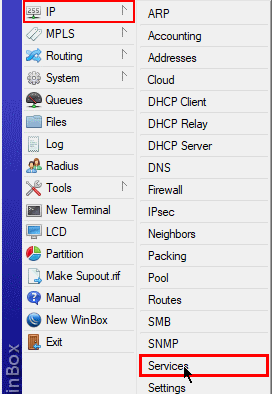
 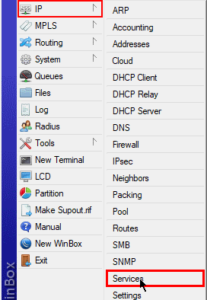 Click IP | Services
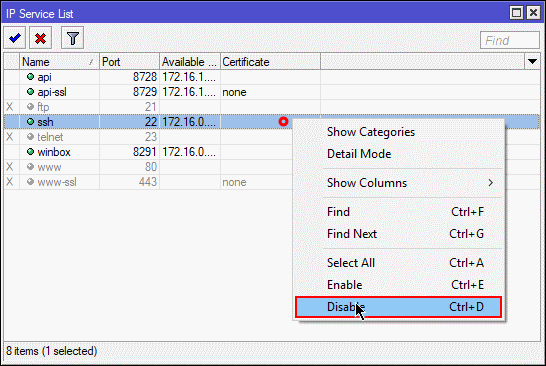
 Right click on the ssh service and choose Disable !(http://jcutrer.com/wp-content/uploads/2017/10/mikrotik-disable-ssh-service.png)
CLI Command to disable SSH service
/ip service disable sshHow to limit access to SSH from specific IP hosts or networks
/ip service set ssh address=172.16.1.5/32,10.1.1.0/24Firewall rule to block all SSH traffic to the router
/ip firewall add action=drop chain=input dst-port=22 protocol=tcpI hope you found this MikroTik Tutorial about SSH useful. If it helped you out, please leave a comment below and checkout my other (/howto/networking/mikrotik/)!
Comments are disabled (Giscus not yet configured).