· Office 365 · 1 min read
How to Export Office 365 Audit Logs
In this tutorial I will show you how to export security audit logs from your Office 365 Tenant. Before you can export audit logs from Office 365 you must enable audit logging in Office 365 Security &...
This post was originally published on jcutrer.com (WordPress) and has been migrated to the archive.
In this tutorial I will show you how to export security audit logs from your Office 365 Tenant. Before you can export audit logs from Office 365 you must (https://support.office.com/en-us/article/turn-office-365-audit-log-search-on-or-off-e893b19a-660c-41f2-9074-d3631c95a014) in Office 365 Security & Compliance Center.
- Login to the Security & Compliance Center at (https://protection.office.com)
- Expand **Security & investigation** on the left menu and choose **Audit Log search**
- Chose a Start & End date and click **Search
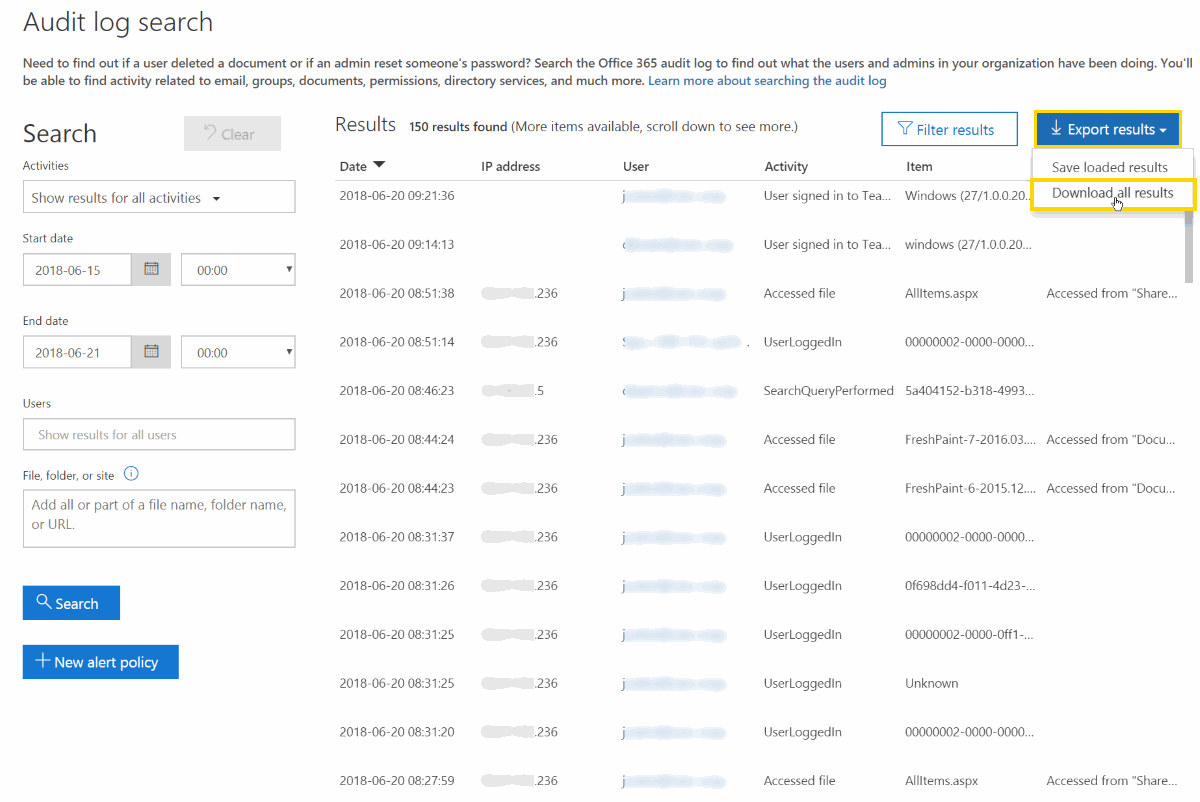
Note: You can further filter the log results by Activity such as Password Changed…, etc 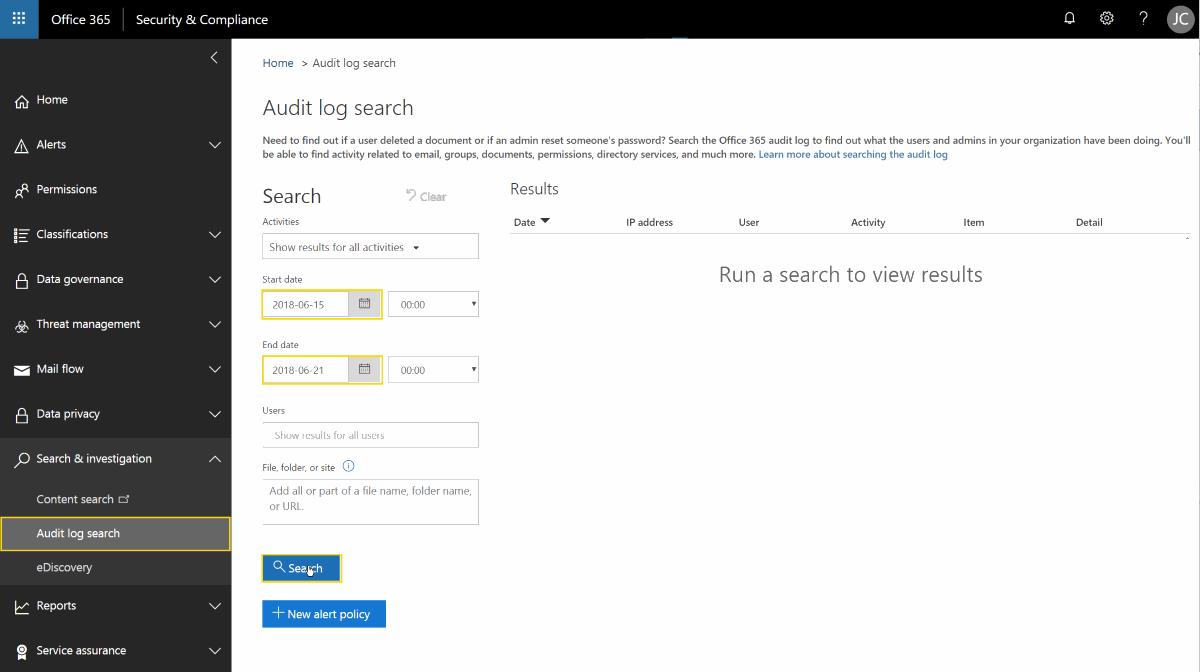 ** - After the query runs click Export results | **Download all results
  ** - A csv export of the audit log will be presented for download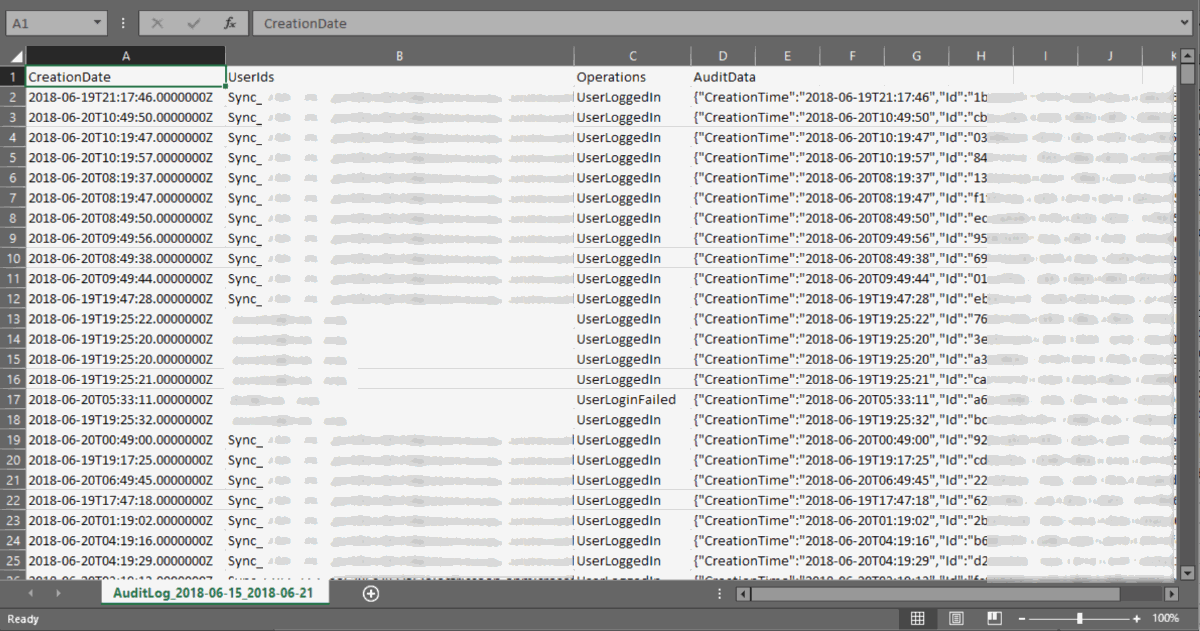
Thanks for following along! Leave a comment below if you have anything to add. I hope this tutorial for Office 365 Admins has helped you out, you may also be interested in my article…
(/office365/create-alert-policies-in-o365)
Comments are disabled (Giscus not yet configured).