· WordPress · 4 min read
How to block Brute-Force Attacks against WordPress with Cloudflare
In this article I will show you how to stop brute-force password attacks against a WordPress blog. If your WordPress blog is served through Cloudflare you will find this article useful. tl;dr you can...
This post was originally published on jcutrer.com (WordPress) and has been migrated to the archive.
In this article I will show you how to stop brute-force password attacks against a WordPress blog. If your WordPress blog is served through Cloudflare you will find this article useful.
tl;dr you can prevent automated WordPress login attempts by creating a a Cloudflare Firewall rule for /wp-login.php (#steps)
It’s no secret that /wp-admin/ is the place to login to a WordPress blog. Anyone can go to your WordPress login page url and attempt to login by guessing your credentials. The html form on the login page sends an http POST request to /wp-login.php to test the entered username and password.
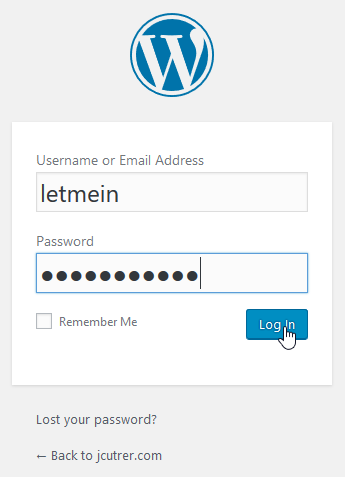 Screenshot of the WordPress login form
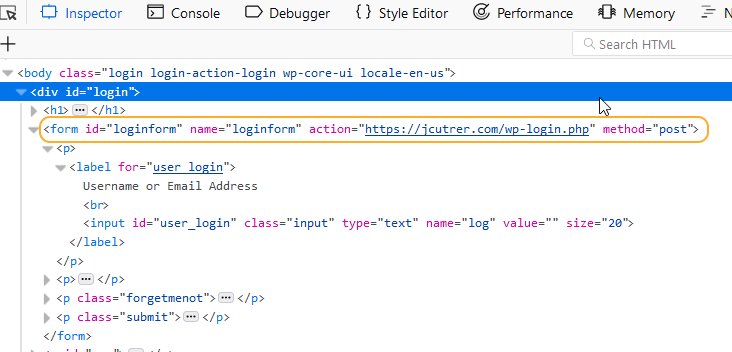 WordPress login form HTML source showing POST to /wp-login.php
”Brute-force attacks against WordPress are not targeted, sophisticated attacks.”
Tools the attackers use for WordPress brute-force attacks
Bad actors use scripting or code to rapid-fire attempt to login using a dictionary of common passwords. Some of these tools try to fly under the radar by sending the login attempts at a very slow pace, sometimes over the span of months. Persistence often pays off for these guys if your password is weak. Here is an example of logging into WordPress using curl (command line http client).
Brute-force attacks against WordPress are not targeted, sophisticated attacks. There a many easy-to-setup blackhat tools that wannabe hackers can use to launch WordPress attacks. A quick search of github returns over 100 repositories of software to brute-force wordpress. Here are just a few examples of WordPress hacking tool.
- (https://github.com/n00py/WPForce)- a WordPress bruteforce hacking tool- (https://github.com/rischanlab/bruteforce_py) - all bruteforces with python, ssh bf, wordpress bf, cpanel bf, mysql bf, etc- (https://github.com/Moham3dRiahi/XBruteForcer) - X Brute Forcer Tool 🔓 WordPress , Joomla , DruPal , OpenCart , Magento- (https://github.com/thelinuxchoice/brutecms) - Multi-threaded CMS BruteForcer to WordPress, Joomla, Drupal, OpenCart- (https://github.com/samuelproject/BruteWP) - This script makes a brute force attack to WordPress
Steps to protect /wp-login.php in Cloudflare
Time needed: 15 minutes.
Protect WordPress against brute-force password attacks using these steps - Login to the Cloudflare dashboard
Visit (https://dash.cloudflare.com/login) and enter your credentials. 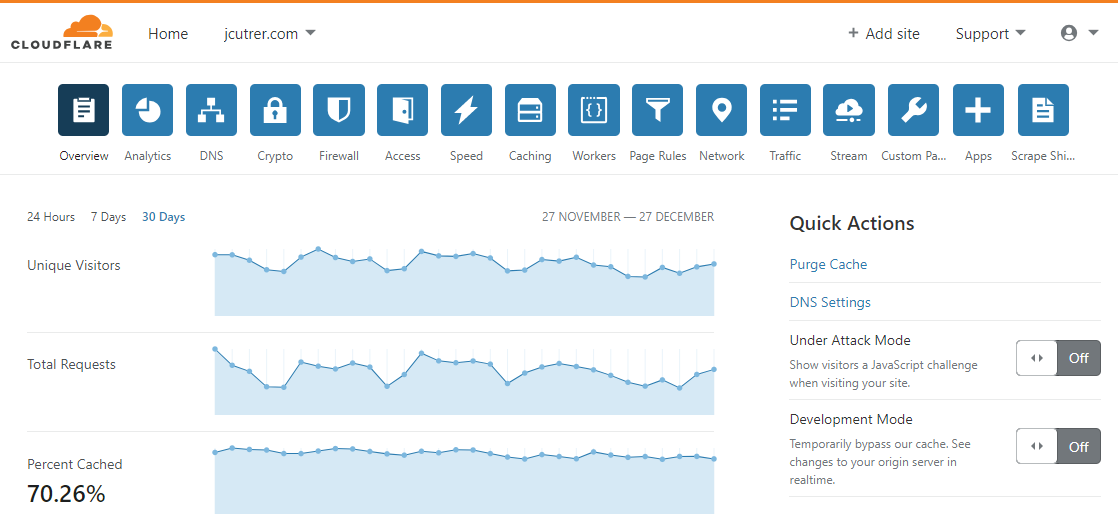 - Click on the Firewall icons and choose “Create a Firewall rule”
The Cloudflare Free plan allows you to create up to 5 firewall rules. 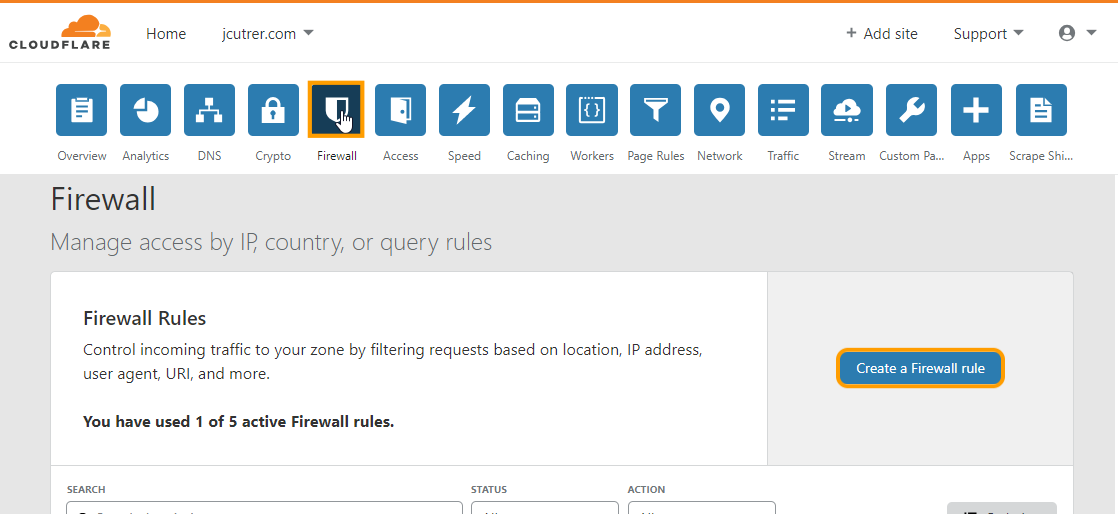 - Define a Firewall Rule for the URI /wp-login.php
Name the rule something descriptive such as “WP Login”. Match on field URI, Operator is equals, Value is “/wp-login.php”. Set action to “Challenge (Captcha)” and click the “Save” button.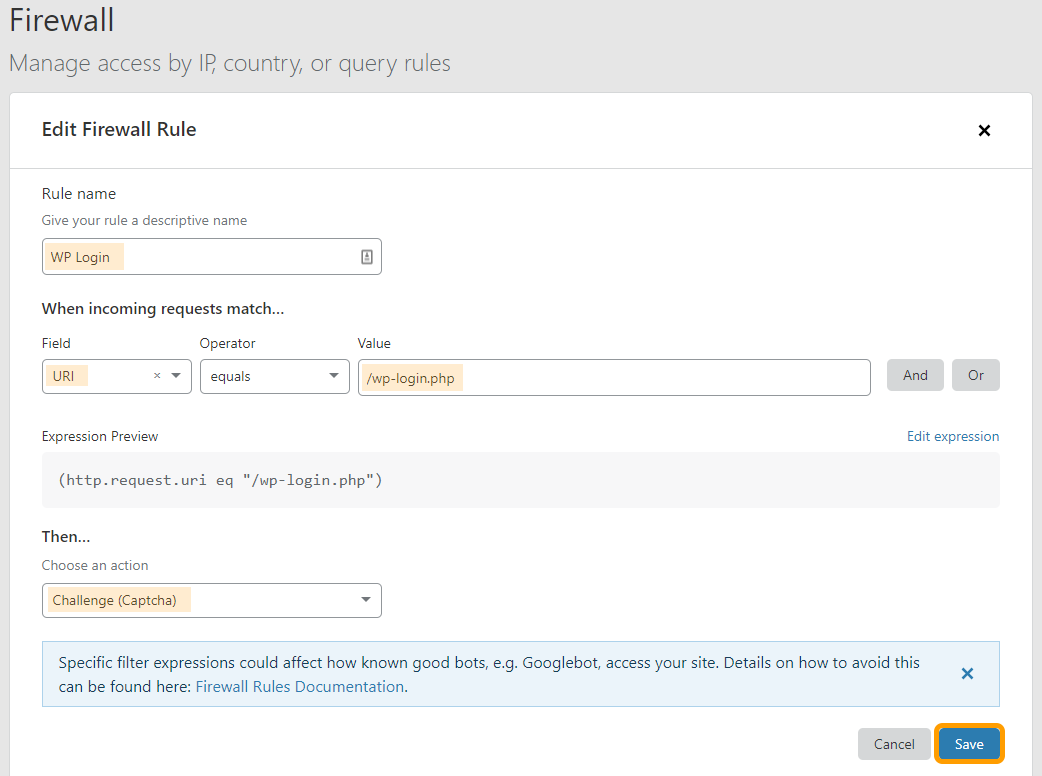 - Test that the Cloudflare CAPTCH Challenge page is displayed.
Login to your WordPress site and you will be redirected to a page like this where you will have to answer a Captcha challenge before you can proceed to login.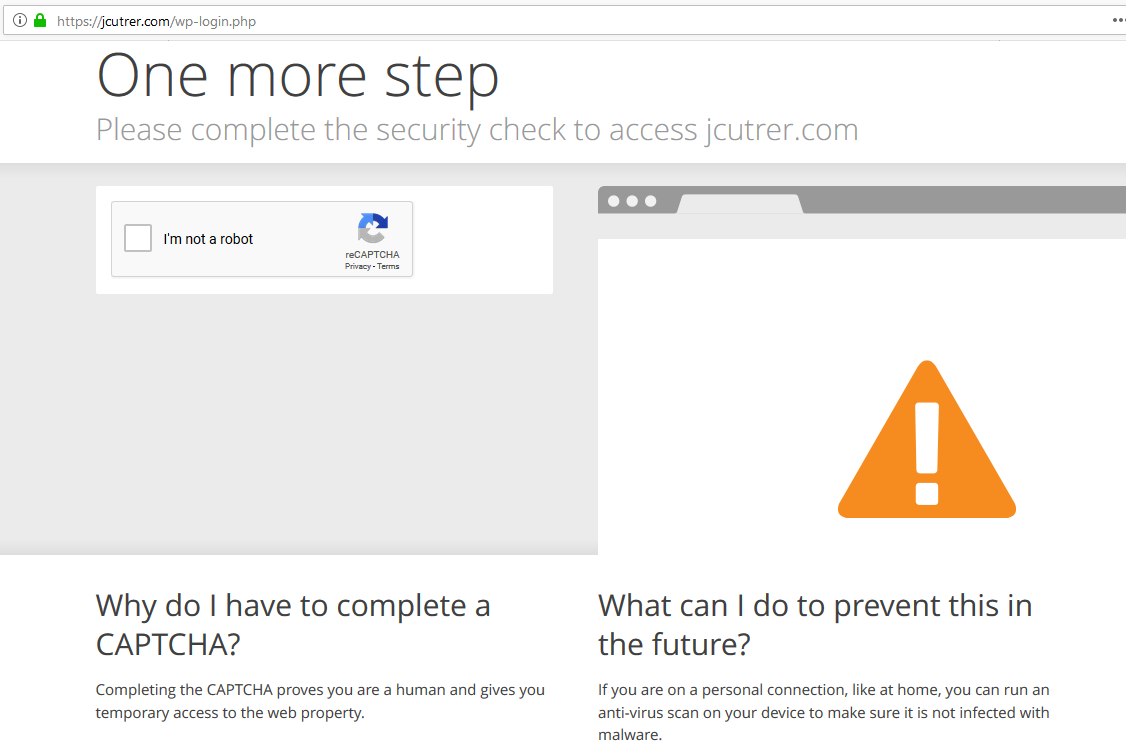
What if my WordPress blog is not behind Cloudflare?
One strong prerequisite to this wordpress tutorial is that your WordPress blog is already protected with Cloudflare. If you do not use Cloudflare, here are some alternative ways to protect against WordPress brute-force attacks.
Several WordPress security plugins exist that can slow-down or block brute-force hacking attempts. I have not tried any of these plugins myself so I cannot tell you if one works better than the other. If you use one of these plugins on your WordPress website leave a comment below and tell us about it.
WordPress BruteForce Protection Plugins
- (https://wordpress.org/plugins/loginizer/) - *“helps you fight against bruteforce attack by blocking login for the IP after it reaches maximum retries allowed ” -*700,000+ installs- L(https://wordpress.org/plugins/login-lockdown/)- “helps to prevent brute force password discovery” -200,000+ installs- (https://wordpress.org/plugins/limit-login-attempts-reloaded/) - “blocks an Internet address from making further attempts after a specified limit on retries has been reached, making a brute-force attack difficult or impossible.” -500,000+ installs- (https://wordpress.org/plugins/wp-limit-login-attempts/) - “limit rate of login attempts and block IP temporarily. It is detecting bots by captcha verification” -40,000+ installs- (https://wordpress.org/plugins/siteguard/) - “decrease the vulnerability against an illegal login attempt attack such as a brute force attack or a password list attack ” -200,000+ installs
Param Chahal recently wrote about some of these brute-force protection plugins (https://blog.templatetoaster.com/brute-force-protection-plugins/). If you are interested in setting up Cloudflare for your WordPress blog, I recommend reading (https://createandcode.com/how-to-install-cloudflare-on-wordpress/) to walk you through the process.
Additional Resources
- 9 WordPress Brute Force Protection Plugins for WordPress by Param Chahal- (https://createandcode.com/how-to-install-cloudflare-on-wordpress/) by Colin Newcomer- (https://developers.cloudflare.com/firewall/cf-firewall-rules/)- (/wordpress)
I hope you have found this WordPress Tutorial useful, (#comments) below. Also, checkout DigitalOcean for inexpensive WordPress site hosting.
Comments are disabled (Giscus not yet configured).